
We are transitioning to a new procurement platform
As part of our digital transformation, ContiTech is gradually transitioning sourcing, supplier relationship management, and purchasing activities to our new procurement platform powered by Jaggaer, a global leader in cloud-based business automation technology.
This transition will take place in waves and applies only to selected ContiTech locations.
What This Means for You
Suppliers working with the selected ContiTech locations will be required to use the Jaggaer platform for:
- Registering and maintaining company profiles
- Qualifying for new business opportunities
- Responding to Request for Proposals (RfP) and Request for Quotations (RfQ)
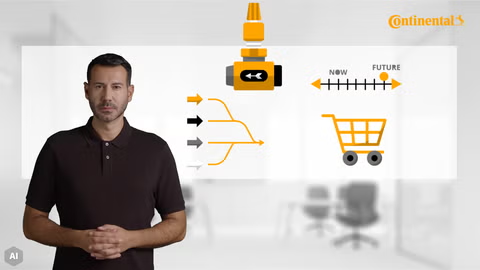
Please watch this video to get more insights into the transition to our new procurement platform.
Support & Resources
-
Training and Documentation: 👉 Access Training Material
-
Already have a Jaggaer account and need technical support?
📞 Contact Jaggaer Support by phone: JAGGAER Global Support | Toll-Free & Local Contact Numbers
📨 Or submit a ticket: Jaggaer Supplier Support Request
-
❓Refer to the FAQs below for quick answers to common questions.
-
❓Further questions about ContiTech´s use of Jaggaer?
📧 Contact our ContiTech Support Team via e-mail.
Thank you very much for your cooperation!
Frequently Asked Questions:
-
📧 Receive an Invitation Email from the ContiTech Supplier Portal
This email will be sent only from the following address: no-reply@app11.jaggaer.com.
🔍 Please also check your spam folder.
-
📝 Open the Registration Email and Follow the Instructions
The email will contain a personal registration link.
Registration is only possible by invitation from ContiTech.
-
🔐 Log In to the Jaggaer Supplier Portal
After registration, access the Jaggaer Supplier Portal with your user credentials.
👉 Don’t have login credentials? Click on “Forgot Password” on the login page to receive your user credentials. -
📂 Onboarding and Qualification Process
The onboarding and qualification process will also be initiated by invitation from ContiTech. You will receive a separate system-generated email that will guide you step by step through the onboarding process.
1. Check your spam and other folders and if you can not find it there, reach out to your buyer.
2. The email includes a personal registration link.
3. Fill in the form (do not change key data like company name, address, VAT, etc.).
· If key data is wrong, please reach out the ContiTech Supplier Support team.
4. After submission, you’ll receive a second email confirming registration.
5. Follow the link, enter your email as “Portal Username”, select “Reset password”, and follow the instructions.
Once you have completed the registration, you’ll receive a second e-mail confirming registration.
Follow the link, enter your e-mail as “Portal Username”, select “Reset password”, and follow the instructions.
Supplier Portal technical support:
Contact the Jaggaer Supplier Support at the number for your country in this link Jaggaer Global Support Contact Numbers.
Or create a ticket online using the following link Jaggaer Supplier Support Request.
More information at: https://www.jaggaer.com/supplier-support.
Suppliers can go to the portal and change the incorrect data such as VAT, Address, phone number or any other general data in the respective fields.
You can also contact your ContiTech buyer or the ContTech Supplier support team to correct or restore the data.
Suppliers can go to the portal in the field "Company Name 2" and insert the correct data, please don't overwrite the "Company Name 1".
You can also contact your ContiTech buyer or the ContiTech Supplier support team to correct or restore the data.
Further questions:
Please contact our ContiTech Support Team via e-mail.